
Insights / Systems
The spreadsheets holding your business together: keep, control or replace?
Mujahid Mujeebullah
Technology practice · 6 min read
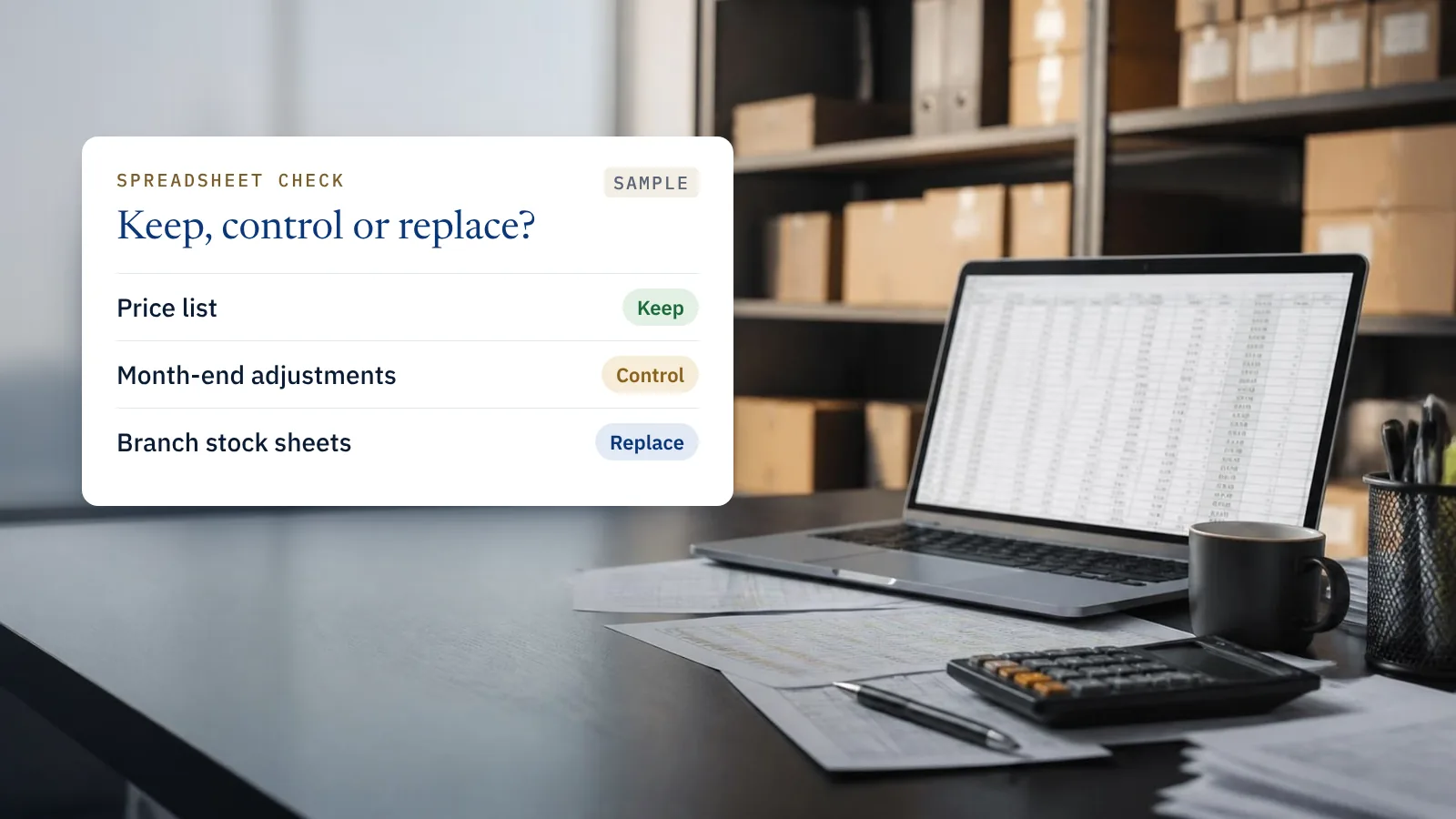
Almost every business has a spreadsheet that someone calls “critical”. Sometimes it is the stock list. Sometimes it is a month-end file that only one person in finance knows how to run.
Most of these files were built for good reasons. The risk is not the spreadsheet; it is that nobody has looked at what depends on it.
Spreadsheets have their place. They are quick, flexible and everyone can use them. The trouble starts when one becomes the system: the only place a number exists, kept by one person, with no record of who changed what.
If you run a smaller business
You have probably outgrown spreadsheets as your main tool if two or three of these sound familiar:
- The same customer or item is typed into more than one file, and the files disagree.
- You only find out what stock you have, or who owes you money, at month end.
- Quotations take longer than they should because prices live in several places.
- One person understands how the file works. When they are on leave, things wait.
- Your customers or the rules now expect invoices in a structured electronic format. E-invoicing is being phased in for UAE businesses from 2027, and a spreadsheet cannot produce that kind of invoice on its own.
Take a trading company with three branches. Each branch keeps its own stock sheet, and head office combines them every Friday. On Wednesday a salesperson promises a customer an item that sold out on Monday at another branch. Nobody did anything wrong; the information simply arrived five days late. Moving to one system where stock is linked to sales fixes the promise and removes the Friday job altogether.
The answer is not always a large system. For many small businesses, a well set-up accounting package with stock and invoicing covers most of what the spreadsheets were doing.
If you run a larger company
You have the systems. The risk sits between them. Finance exports figures from the ERP (enterprise resource planning) system, adjusts them in a spreadsheet, and the adjusted number goes to the board. Sales keeps discount approvals in a shared file because the approval step in the CRM (customer relationship management) system was never finished. These spreadsheets are not wrong, but nobody manages them.
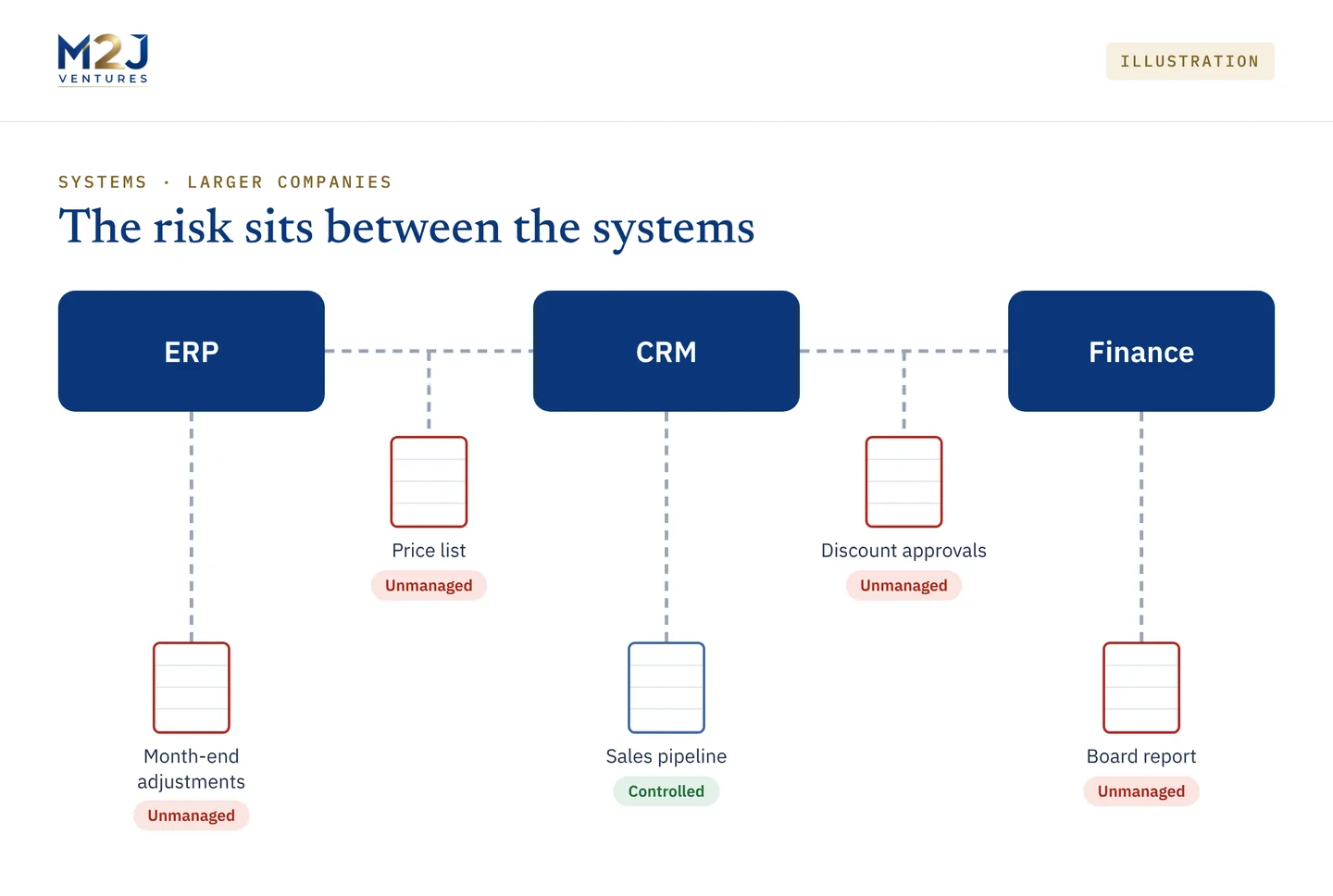
To find them, ask each department head one question: which spreadsheet would hurt most if it disappeared tomorrow? For each answer, note who owns it, where its data comes from, who relies on its numbers and whether anyone checks it. The list that comes back is usually short, and it tells you more about how the company really runs than most system diagrams do.
Keep, control or replace
Not every spreadsheet should go. Planning, modelling and one-off analysis are what spreadsheets are good at. The ones that need attention are the recurring files that feed decisions, and the ones doing a system’s job.
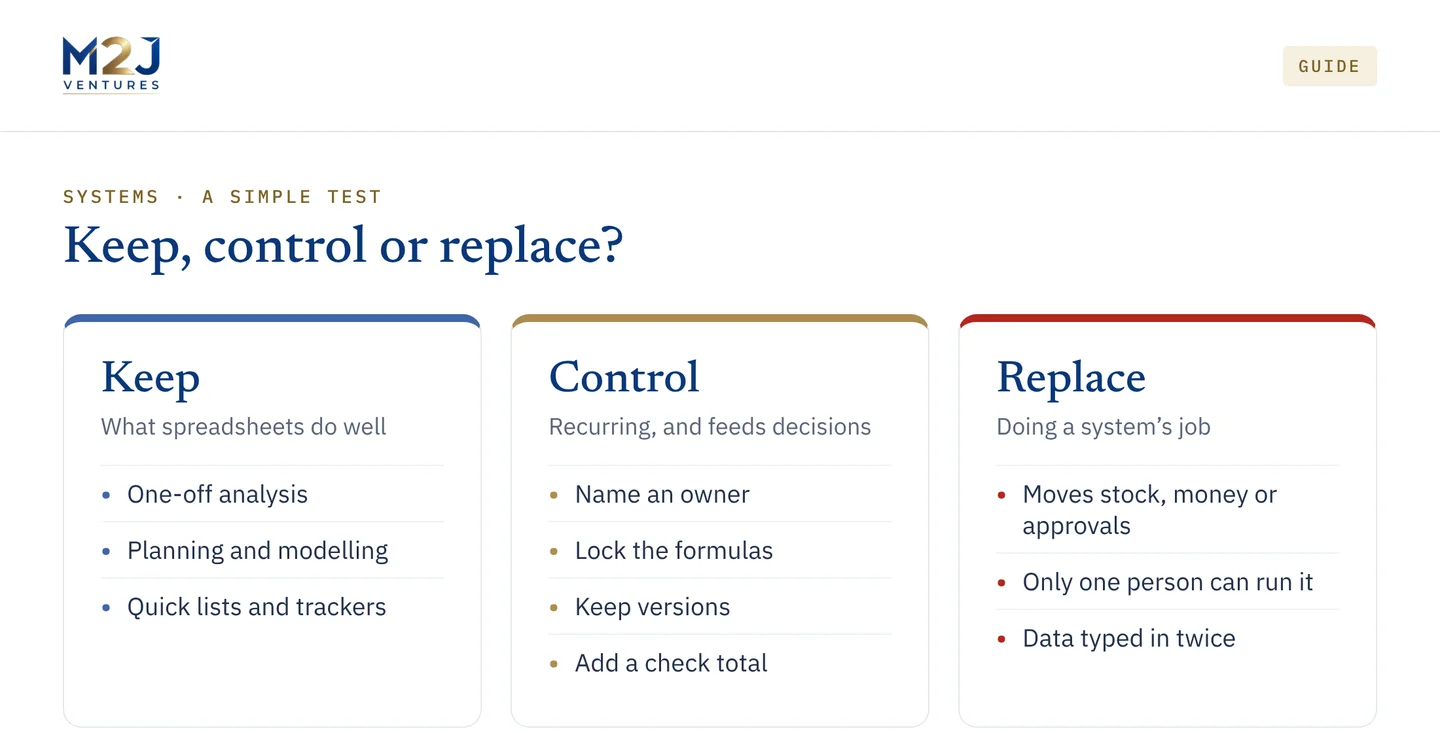
For files you keep but depend on, a few habits go a long way: one named owner, locked formulas, saved versions and a check total that someone looks at. For files doing a system’s job, moving stock, money or approvals, plan to replace them, starting with the one that would hurt most.
Before you buy anything
Make the list first. The critical spreadsheets, and why people built them, are often the clearest description of what a new system needs to do. In my experience, that list is worth more than any vendor comparison, because it stops a business buying features it does not need and missing the one it does.
This article is general information, not advice for your specific situation. See our Professional Content Disclaimer.

Mujahid Mujeebullah, Strategic IT & AI Advisor at M2J Ventures. Over 30 years in IT, including enterprise IT leadership across the Middle East, Africa and the wider Eastern Hemisphere. About → · LinkedIn →